

To start editing, click on the
Profiletab in the menu bar on the bottom of your screen, and then choose Edit Profile from the menu.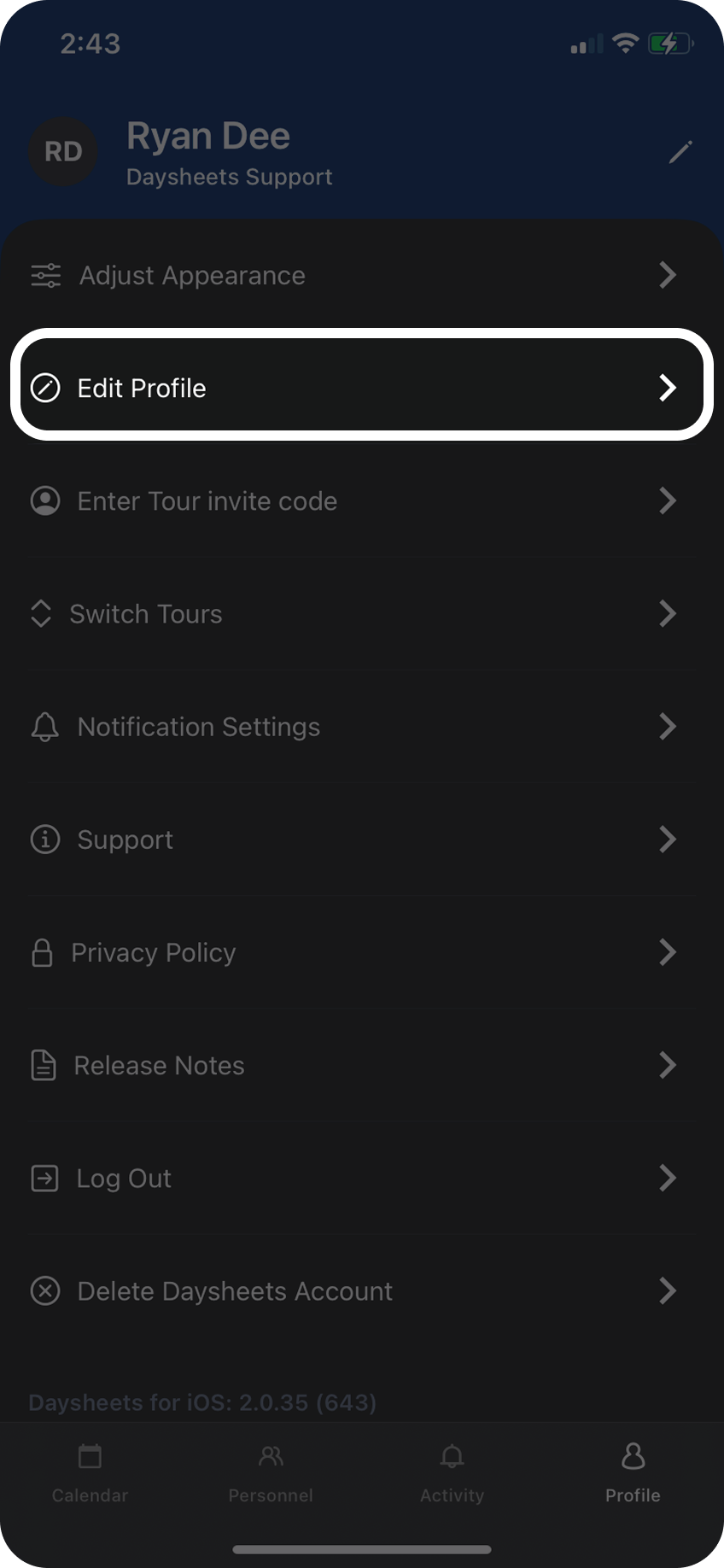
To navigate through the different sections of your profile, select a tab at the top. From the
Travel Profile you can manage your seat preference, TSA Pre Check No., Known Traveller No., and any travel reward numbers.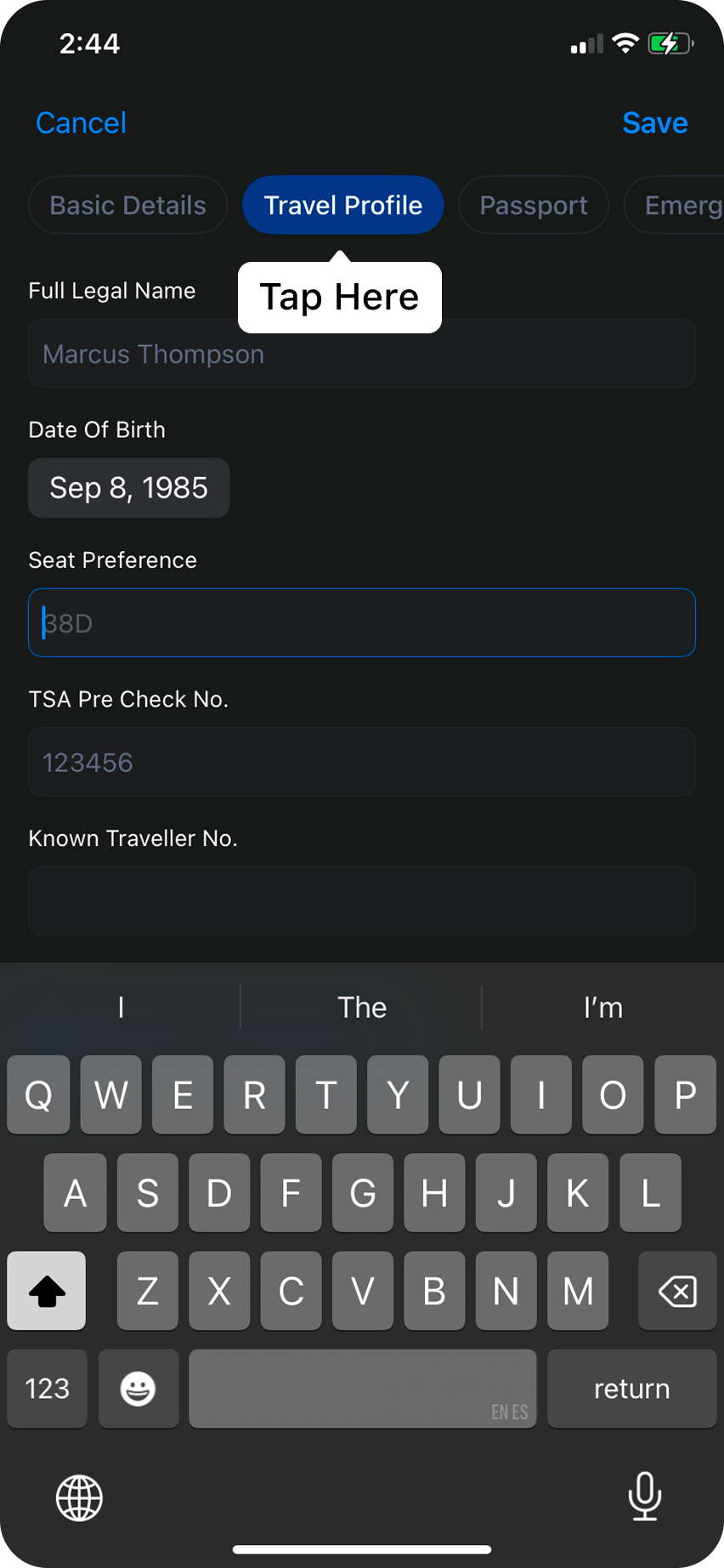
From the passport tab, you can manage your passport details, and if you need to add an additional passport to your profile just click on where it says
Add Passport in blue.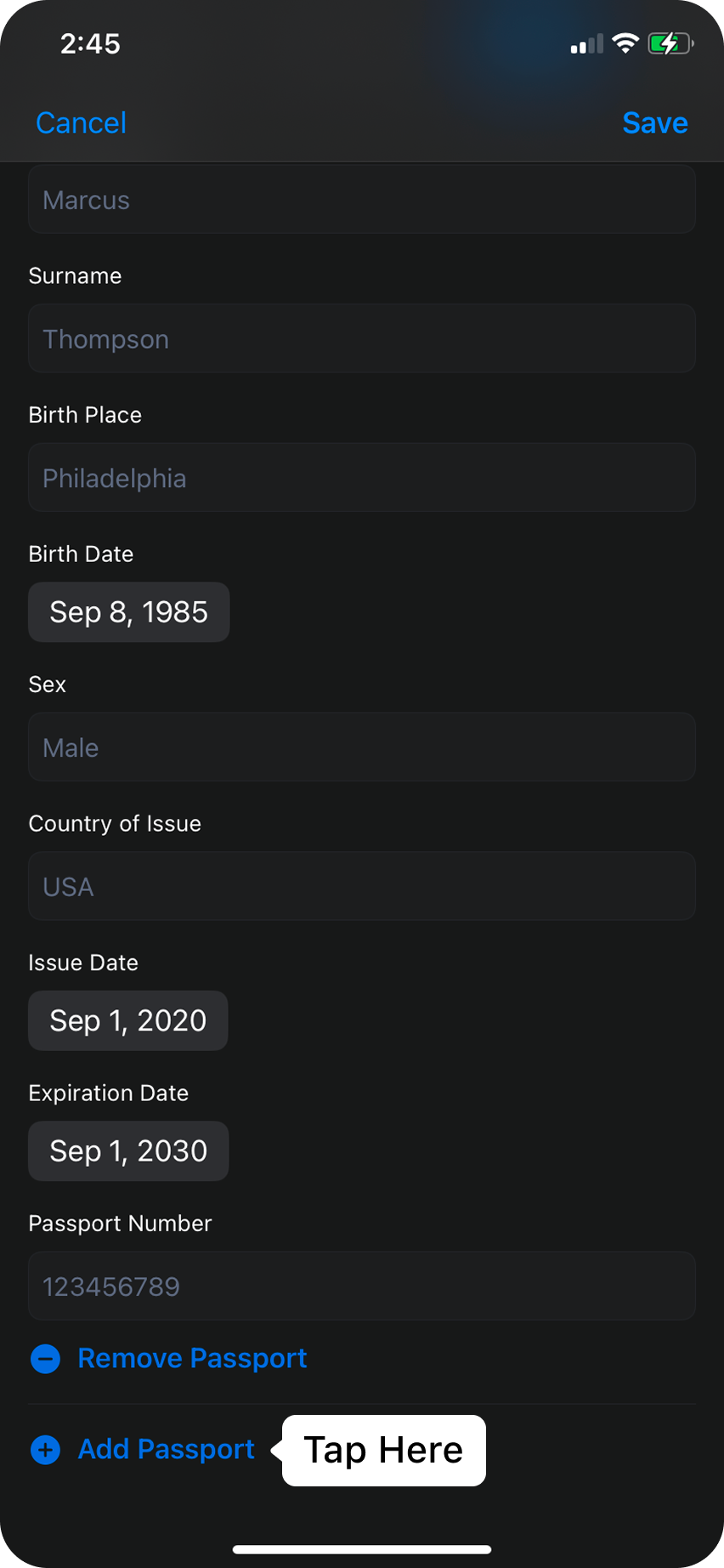
Hit
Save and your profile is up to date!