

Creating a Calendar Feed in Daysheets
Daysheets allows you to easily stream Daysheets details to you or your team members calendars. To get started, click the gear icon on the left side menu and choose Tour Settings At the bottom of the page you will see Calendar Feed — Click Add a calendar feed . From the drawer on the right add a label to the feed, such as “Crew Calendar Feed”. Then add the individual(s) and group(s) who’s associated information should be included. Below this, select which information you would like to include in the calendar by checking the boxes next to each section. Click Save and copy the URL for the feed by clicking the copy to clipboard icon.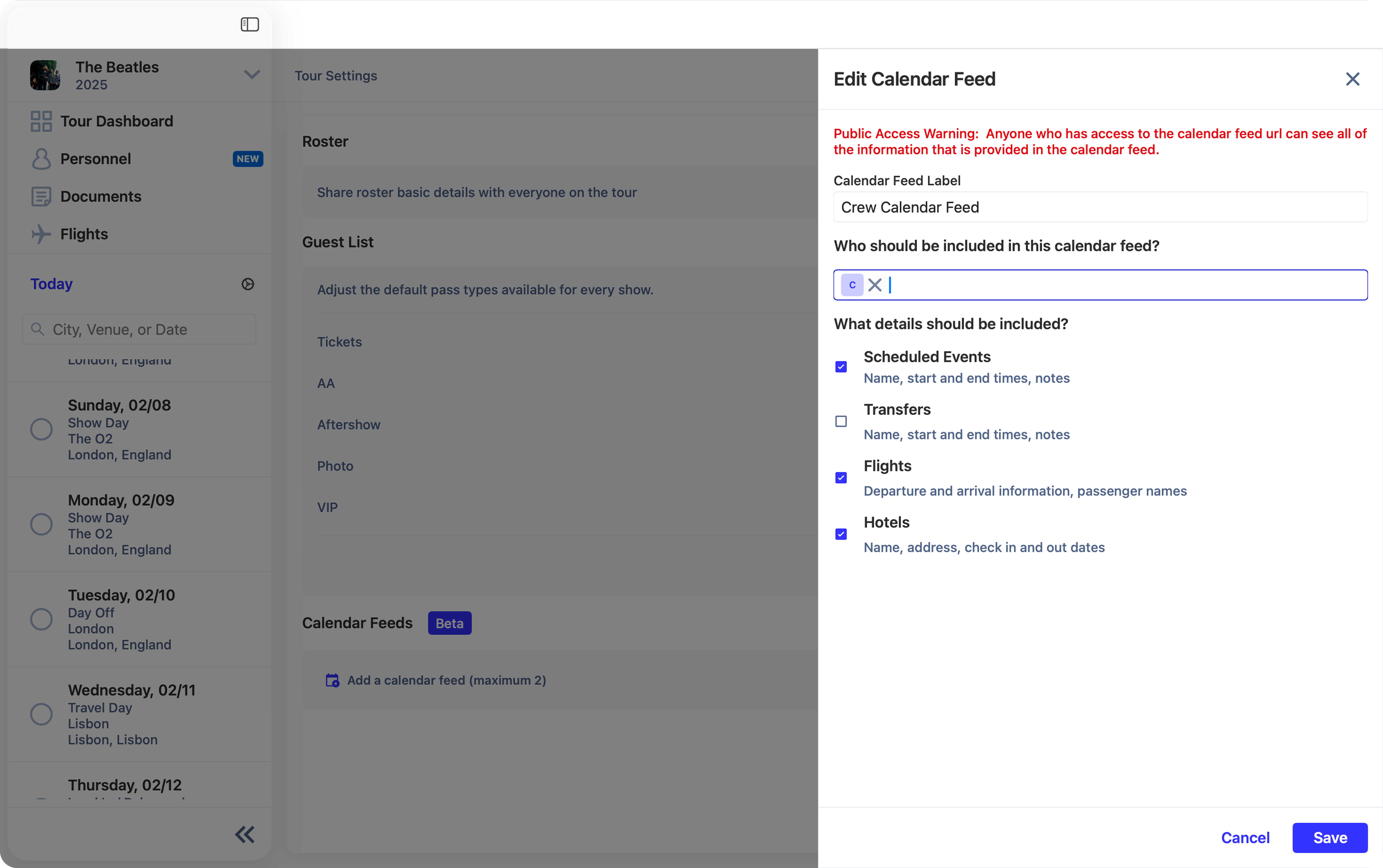
Adding a Feed to iCal
To add the calendar feed to your iCal, open the Calendar app and click File, then New Calendar Subscription . Past the URL into the text box and click Subscribe.
Name and customize the calendar in iCal to your liking and click OK .